> ## Documentation Index
> Fetch the complete documentation index at: https://agno-v2-docs-whatsapp-interface-documentation.mintlify.site/llms.txt
> Use this file to discover all available pages before exploring further.
# AgentOS on Railway
> Run AgentOS on Railway.
This template runs AgentOS and PostgreSQL with pgvector on Railway. It includes example agents ready to use after deployment, automatic HTTPS (handled by Railway) and
public domain (your-app.up.railway.app).
## Prerequisites
* [Docker Desktop](https://docker.com/desktop)
* [uv](https://docs.astral.sh/uv) (Python package manager)
* [OpenAI API key](https://platform.openai.com)
* [Railway account](https://railway.app) (free tier works)
* Install Railway CLI:
`bash Mac brew install railway ` `bash Windows/Linux npm install -g
@railway/cli `
## Step-by-Step Guide
```bash theme={null}
uv venv --python 3.12
source .venv/bin/activate
```
```bash theme={null}
uv pip install -U 'agno[infra]'
```
```bash theme={null}
ag infra create --template agentos-railway --name my-agentos
cd my-agentos
```
The template includes the following agents ready to use after deployment:
Personal assistant that learns from you. Stores notes, bookmarks, and
research findings.
RAG agent that answers questions from your documents. Pre-loaded with Agno
docs.
Connects to external tools via MCP. Extensible with any MCP-compatible
service.
```bash theme={null}
export OPENAI_API_KEY=sk-***
```
```bash theme={null}
railway login
./scripts/railway_up.sh
```
It takes \~2 min and creates the project, provisions PostgreSQL with pgvector, and deploys your AgentOS.
```bash theme={null}
railway open
```
Find your URL in the dashboard (e.g., `my-agentos.up.railway.app`). Navigate to `/docs` to see your AgentOS API.
1. Go to [os.agno.com](https://os.agno.com)
2. Click "Connect OS" → Select "Live"
3. Paste your Railway domain
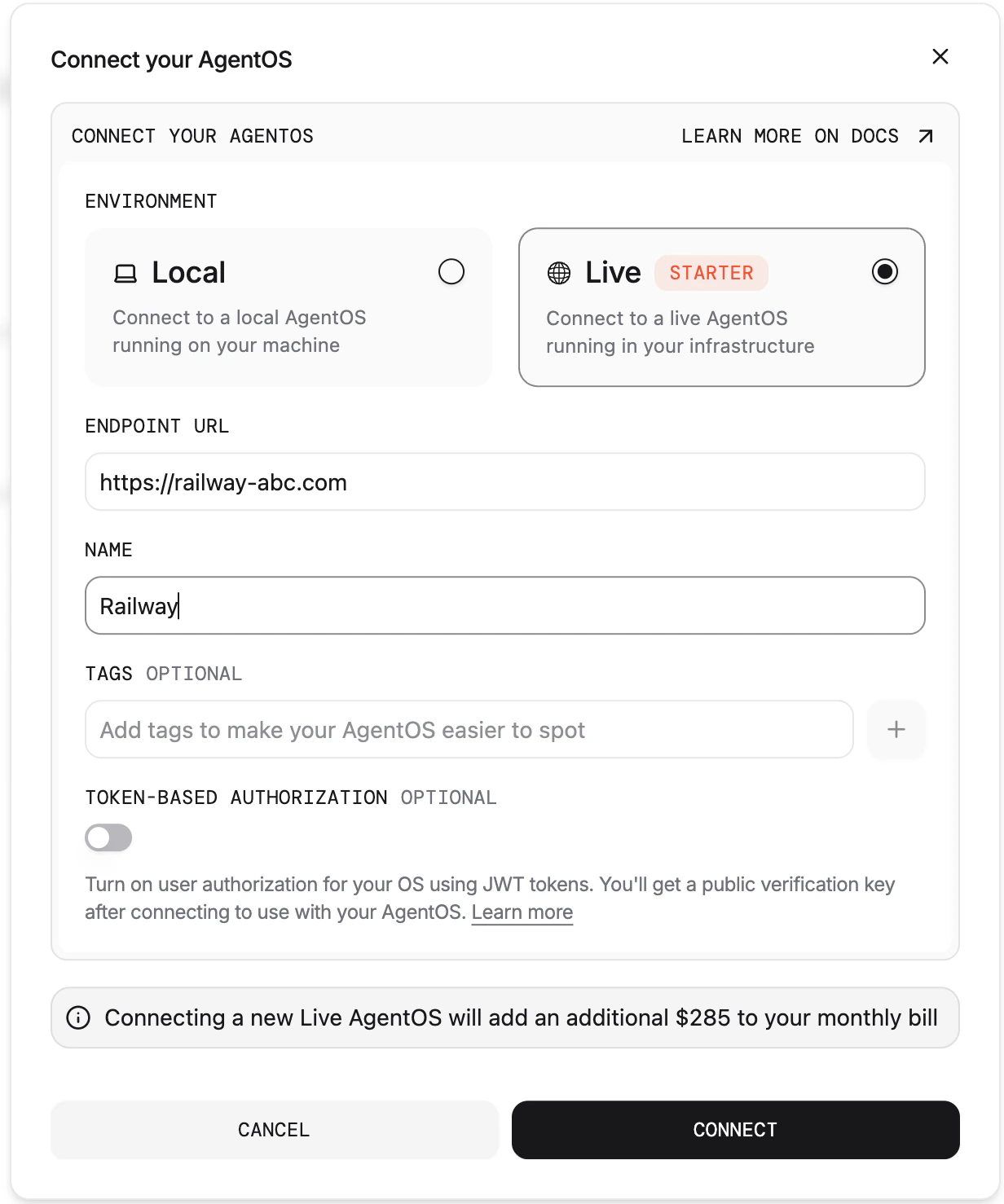
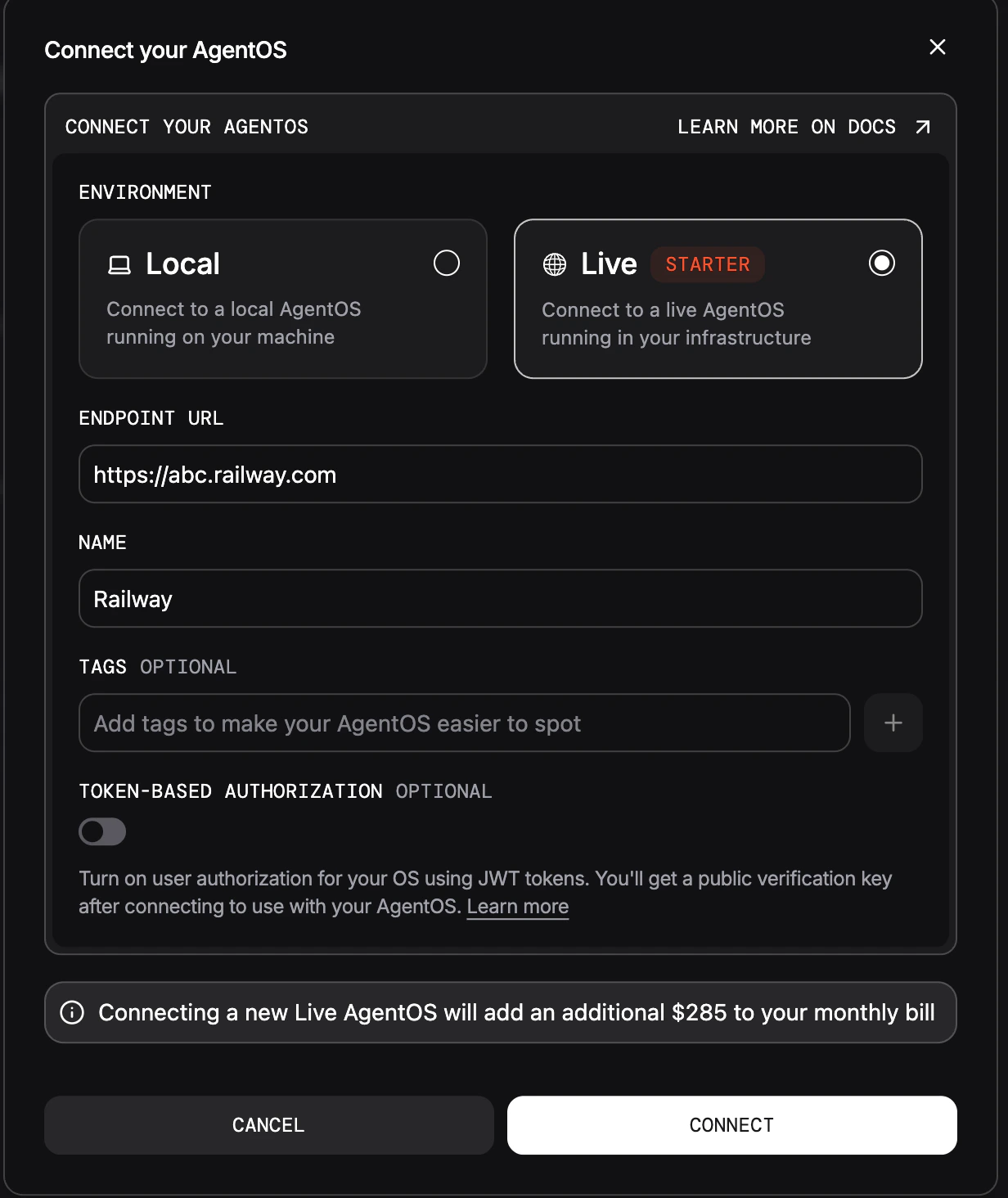 Your AgentOS is live on Railway! Manage it from os.agno.com
## Tips
You can customize the agents included in the template codebase with additional capabilities.
Create agents with your own tools and prompts.
Slack, GitHub, databases, and 100+ integrations.
Load documents, websites, and databases for RAG.
Deploy to Slack, Discord, WhatsApp, or expose via MCP.
| Task | Command |
| ---------------- | ----------------------------------------------------- |
| Deploy updates | `railway up --service agent_os -d` |
| View logs | `railway logs --service agent_os` |
| Open dashboard | `railway open` |
| Set env variable | `railway variables set KEY=value` |
| Stop service | `railway down --service agent_os` |
| Scale replicas | Edit `railway.json`: `{"deploy": {"numReplicas": 2}}` |
| Switch model | `railway variables set ANTHROPIC_API_KEY=sk-ant-***` |
## Troubleshooting
Install: `brew install railway` (Mac) or `npm install -g @railway/cli`
Run `railway init` first, then `./scripts/railway_up.sh` again.
PostgreSQL takes \~30s. Check: `railway logs --service pgvector`
Container starting. Wait 1-2 min. Check: `railway logs --service agent_os`
Your AgentOS is live on Railway! Manage it from os.agno.com
## Tips
You can customize the agents included in the template codebase with additional capabilities.
Create agents with your own tools and prompts.
Slack, GitHub, databases, and 100+ integrations.
Load documents, websites, and databases for RAG.
Deploy to Slack, Discord, WhatsApp, or expose via MCP.
| Task | Command |
| ---------------- | ----------------------------------------------------- |
| Deploy updates | `railway up --service agent_os -d` |
| View logs | `railway logs --service agent_os` |
| Open dashboard | `railway open` |
| Set env variable | `railway variables set KEY=value` |
| Stop service | `railway down --service agent_os` |
| Scale replicas | Edit `railway.json`: `{"deploy": {"numReplicas": 2}}` |
| Switch model | `railway variables set ANTHROPIC_API_KEY=sk-ant-***` |
## Troubleshooting
Install: `brew install railway` (Mac) or `npm install -g @railway/cli`
Run `railway init` first, then `./scripts/railway_up.sh` again.
PostgreSQL takes \~30s. Check: `railway logs --service pgvector`
Container starting. Wait 1-2 min. Check: `railway logs --service agent_os`